![[Rod Stephens Books]](banner_300x110.png)
|
|
![[Mastodon]](mastodon.svg "Hachyderm (Mastodon)")
![[Bluesky]](Bluesky_Logo.svg "Bluesky")
![[Facebook]](facebook32.png "Facebook")
|
![[Build Your Own Python Action Arcade!]](book_action_arcade_80x100.jpg)
![[Build Your Own Ray Tracer With Python]](book_python_ray_tracer_81x100.png)
![[Beginning Database Design Solutions, Second Edition]](book_db2_79x100.png)
![[Beginning Software Engineering, Second Edition]](book_sw_eng2_79x100.png)
![[Essential Algorithms, Second Edition]](book_algs2e_79x100.png)
![[The Modern C# Challenge]](book_csharp_challenge_80x100.png)
![[WPF 3d, Three-Dimensional Graphics with WPF and C#]](book_wpf3d_80x100.png)
![[The C# Helper Top 100]](book_top100_80x100.png)
![[Interview Puzzles Dissected]](book_interview_puzzles_80x100.png)

Title: Draw the Julia set fractal in Python
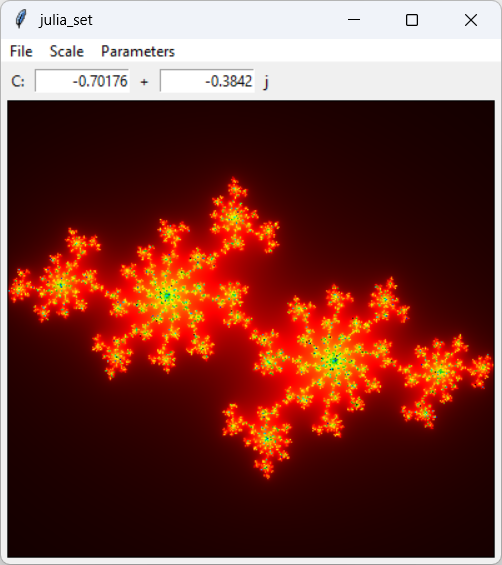
My post Draw a smoothly shaded Mandelbrot set fractal in Python and tkinter explains how to the Mandelbrot set fractal. This example shows how to draw a similar fractal: the Julia set.
Mandelbrot RevisitedTo draw the Mandelbrot set, you start with a value Z0 = 0 and then iterate the equation Zn+1 = Zn2 + C. Here C is the complex number C = x + y*j where (x, y) is a point on the fractal. In other words, for each point (x, y) that you want to draw, you scale x and y to get a point on the complex plane and then use it for C.Here's a restatement of the equations.
C = x + y * j Z0 = 0 Zn+1 = Zn2 + C Depending on the value of C, the Z
It can be shown that, if the magnitude of Z Now that you know the background, here's how you draw the Mandelbrot set.
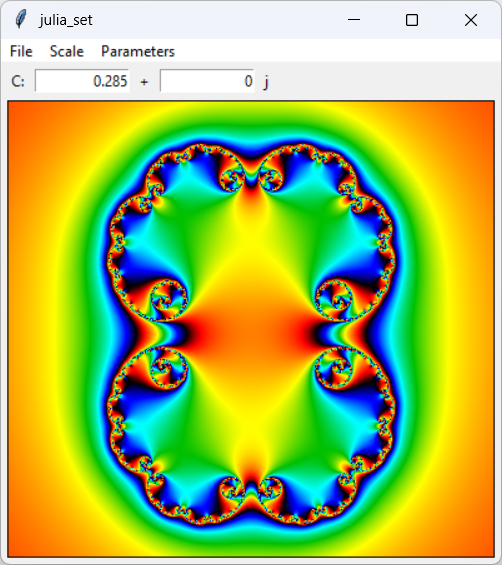
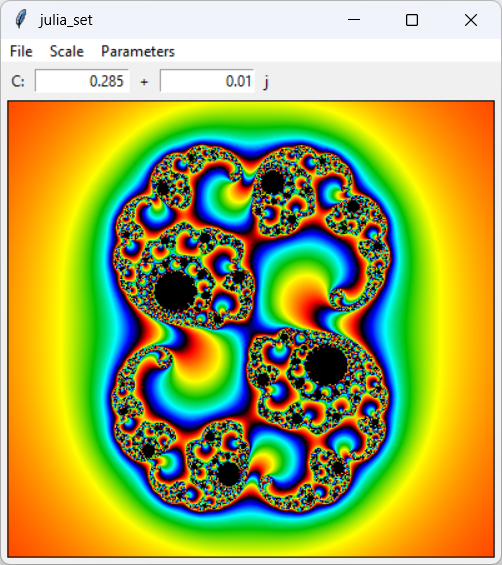
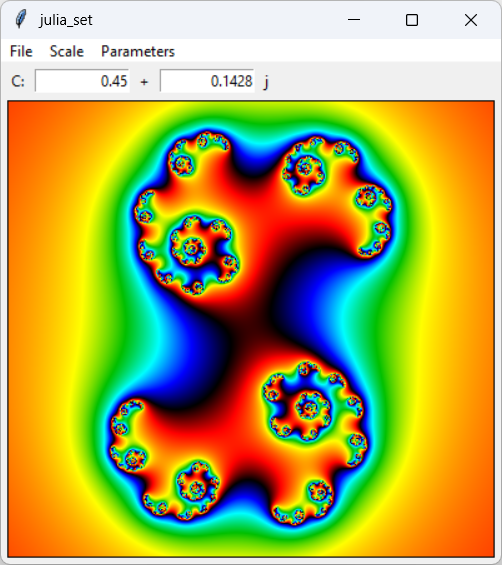
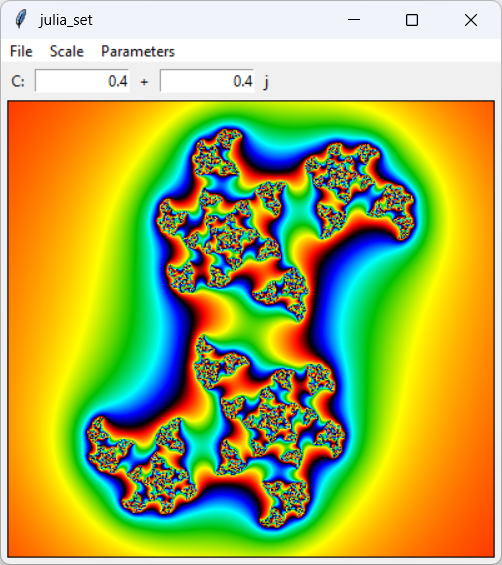
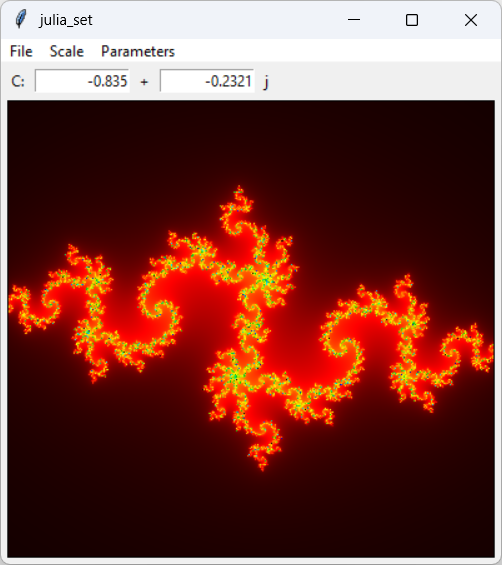
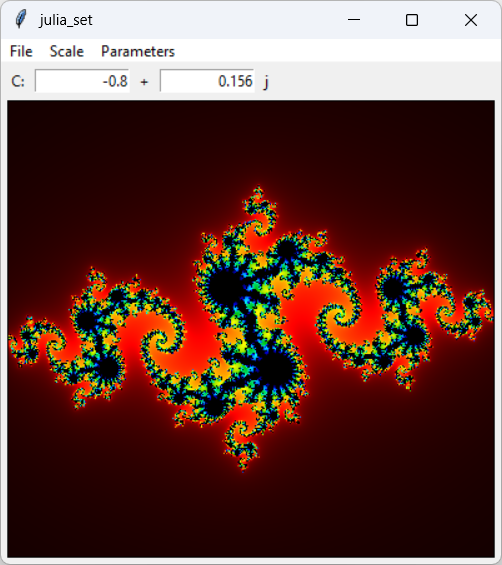
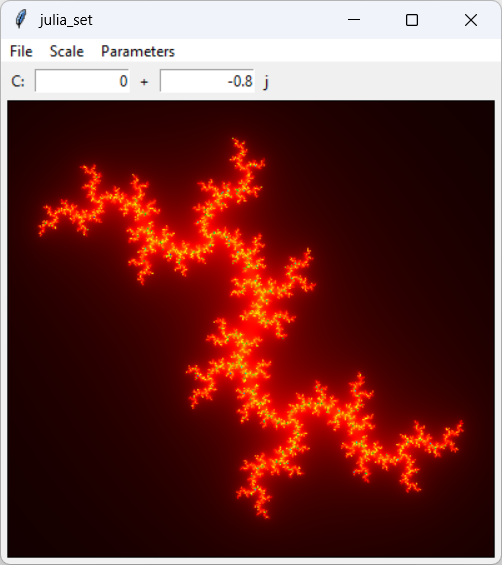
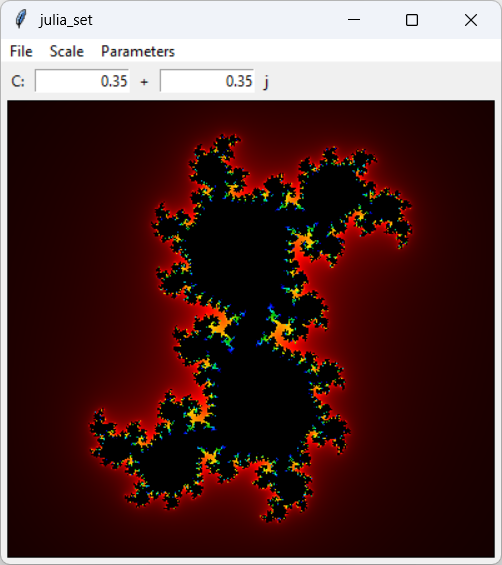
Julia SetsDrawing the Julia set is very similar to drawing the Mandelbrot set except you set C and Z0 differently. This time C is a complex number that you pick to produce different results and Z0 = x + y * j. Having initialized C and Z0, you generate Zn values as before.C = some complex number Z0 = x + y * j Zn+1 = Zn2 + C Python CodeThe changes to the previous Mandelbrot set program are small. Here's how the program sets C.try: c_re = float(self.c_re_var.get()) except: print(f'Error parsing "{self.c_re_var.get()}"') return try: c_im = float(self.c_im_var.get()) except: print(f'Error parsing "{self.c_im_var.get()}"') return c = c_re + c_im * 1j This code just parses the values that you entered into the program's entry widgets. Most of the code is error handling in case you enter something that isn't a number.The following code shows how the program starts to loop through the image's pixels. # Loop over the pixels. for x in range(image_wid): for y in range(image_hgt): # Calculate this point's color. re, im = self.d_to_w(x, y) z = re + im * 1j ... This code loops over the image's pixel locations (x, y). For each pixel, it calls self.d_to_w to scale and translate the pixel locations into the real and imaginary coordinates of a point on the complex plane. (See the earlier post for information about how that works.)The code then sets Z0M/sub> = re + im * 1j. The rest of the pair of nested loops works as in the Mandelbrot example. The program iterates the equation for Zn, stops when |Zn| > 2 or it has executed a maximum number of iterations, and sets the pixel's color. ConclusionThat's all there is to it. The Julia set only differs from the Mandelbrot set in how you set up C and Z0.Download the example to experiment with it and to see additional details. Click and drag to zoom in on an area. Use the Scale menu to zoom out to a larger scale. Finally use the Parameters menu to indicate whether the program should use smooth its results or reuse colors, and to set the maximum number of iterations. A larger number of iterations fills in more of the black pixels but may slow the program down.
|
![[This program draws Julia set fractals in Python]](julia_set.png)