|
|


|



Title: Improve renaming files with regular expressions in Python
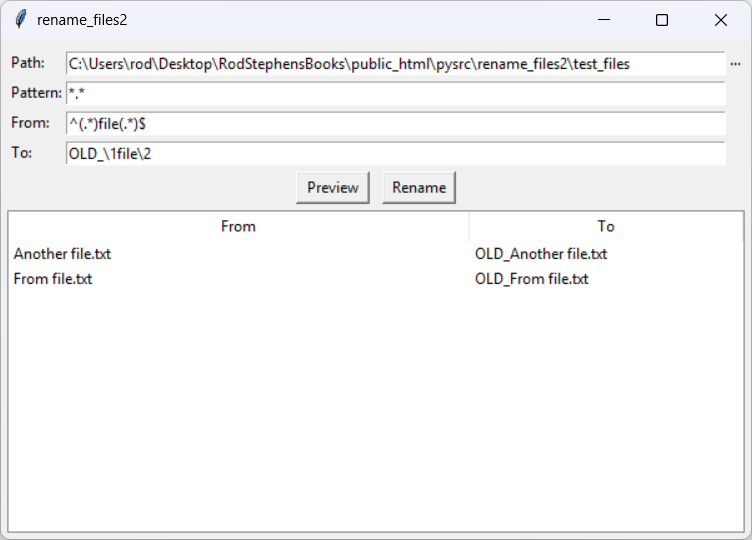
This is a quick update to my post Use regular expressions to rename files in Python. While using that example to get some actual work done, I realized that it was renaming every file in the directory even if a file's name wouldn't change. For example, suppose the From regular expression is ^(.*)file(.*)$. In that case, the pattern only modifies files that have file in their names and any other files are renamed to their original names. That doesn't lead to anything disastrous like Armageddon or the collapse of civilization or something, but it does waste time. The program also lists every file in its preview so you need to wade through the ones that will get their original names so you can check out the ones that really will change. This example fixes that. The following code shows the revised rename_files function with the massive change highlighted in blue. def rename_files(path, pattern, from_regex, to_regex, make_changes=False): '''Return a list of changes. If make_changes is true, make the changes.''' results = [] directory = Path(path) for file in directory.glob(pattern): # List the changes. from_name = Path(file).name to_name = re.sub(from_regex, to_regex, from_name) if to_name != from_name: results.append((from_name, to_name)) # Make the changes. if make_changes: new_file = Path(file).with_name(to_name) os.rename(file, new_file) return results That's all there is to it!ConclusionYes, it's a small change, but I found it really handy. Download the example to experiment with it and to see additional details. |