![[Rod Stephens Books]](banner_300x110.png)
|
|
![[Mastodon]](mastodon.svg "Hachyderm (Mastodon)")
![[Bluesky]](Bluesky_Logo.svg "Bluesky")
![[Facebook]](facebook32.png "Facebook")
|
![[Build Your Own Python Action Arcade!]](book_action_arcade_80x100.jpg)
![[Build Your Own Ray Tracer With Python]](book_python_ray_tracer_81x100.png)
![[Beginning Database Design Solutions, Second Edition]](book_db2_79x100.png)
![[Beginning Software Engineering, Second Edition]](book_sw_eng2_79x100.png)
![[Essential Algorithms, Second Edition]](book_algs2e_79x100.png)
![[The Modern C# Challenge]](book_csharp_challenge_80x100.png)
![[WPF 3d, Three-Dimensional Graphics with WPF and C#]](book_wpf3d_80x100.png)
![[The C# Helper Top 100]](book_top100_80x100.png)
![[Interview Puzzles Dissected]](book_interview_puzzles_80x100.png)

Title: Draw escape time polynomial fractals in Python
Earlier I made two posts that explain how to draw Mandelbrot set and Julia set fractals.
ApproachHere's the basic approach used to draw the Mandelbrot and Julia sets.
To get a Julia set:
This example lets you enter your own values for those two parameters at run time. Parsing FunctionsHere's the code that parses the equations that you enter into the Entry widgets.# Get the Z0 and Zn+1 functions. function_def = \ f'''def func_z0(x, y): try: return {self.z0_var.get()} except: return 1000''' exec(function_def, globals()) if SHOW_FUNCTIONS: print(function_def, '\n') function_def = \ f'''def func_zn_plus_1(zn, x, y): try: return {self.zn_plus_1_var.get()} except: return 1000''' exec(function_def, globals()) if SHOW_FUNCTIONS: print(function_def, '\n') This code sets variable function_def to a string that defines a function that incorporates the text you entered. It then calls exec(function_def, globals()) to execute the string as Python code. The second parameter to exec stores the resulting function in the global namespace so the program's code can use it.
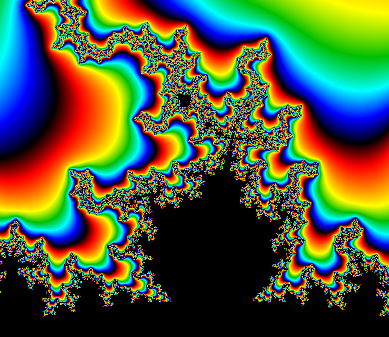
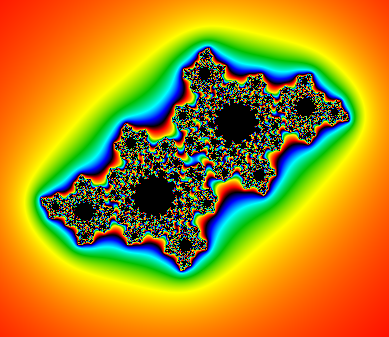
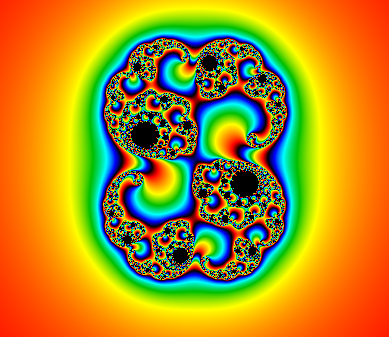
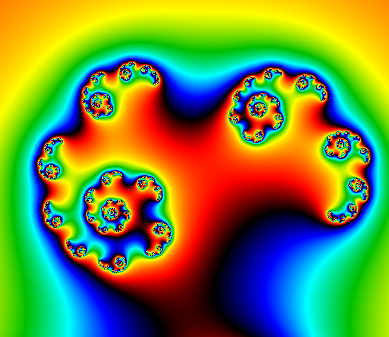
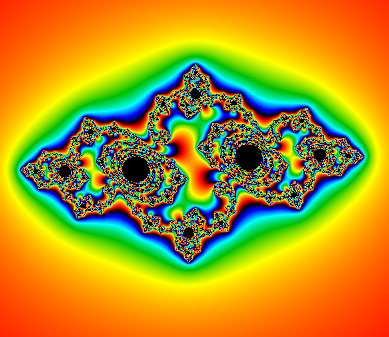
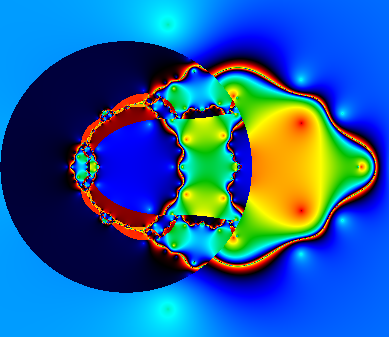
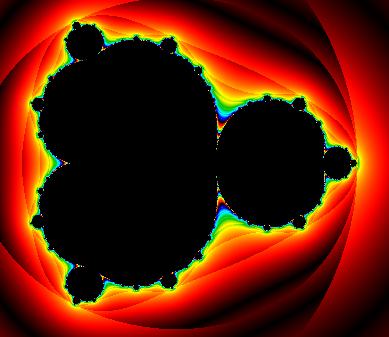
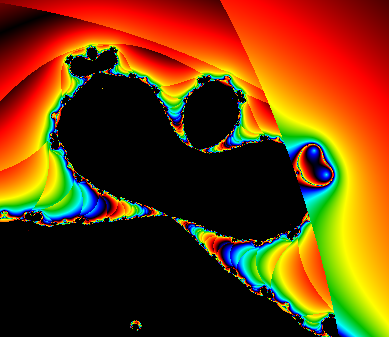
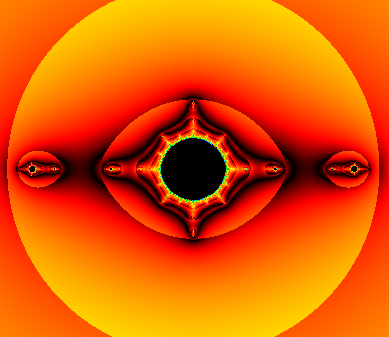
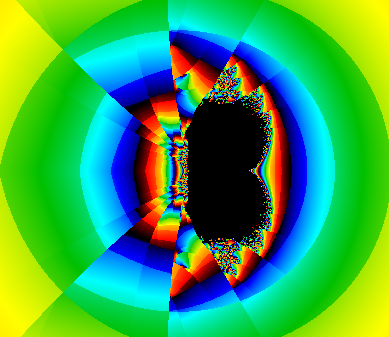
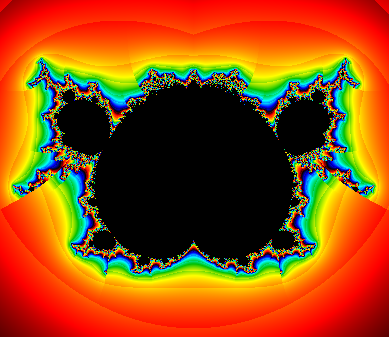
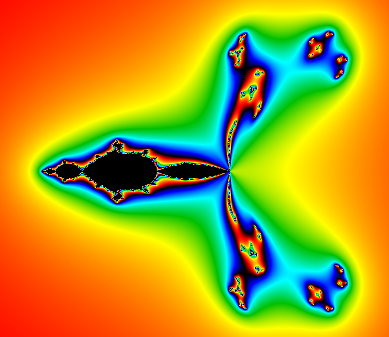
def func_z0(x, y): try: return 0 + 0j except: return 1000 def func_zn_plus_1(zn, x, y): try: return zn ** 2 + x + y * 1j except: return 1000 These are just simple functions that return numeric results. The func_z0 function uses a pixel's coordinates (x, y) to set Z0 for the fractal algorithm. The function func_zn_plus_1 calculates Zn+1 from Zn and the pixel's coordinates.Calling the FunctionsThe code that builds the fractal is similar to the previous Mandelbrot and Julia set code except it calls functions func_z0 and func_zn_plus_1 instead of using hard-wired functions. Here's that code with the new function calls highlighted in blue.# Loop over the pixels. for pix_x in range(image_wid): for pix_y in range(image_hgt): # Calculate this point's color. x, y = self.d_to_w(pix_x, pix_y) z0 = func_z0(x, y) # analysis:ignore z = z0 iteration = 0 while ((iteration < max_iterations) and (abs(z) < escape_radius)): # Calculate Z(clr). z = func_zn_plus_1(z, x, y) # analysis:ignore iteration += 1 # Set the pixel's color. if (iteration >= max_iterations): color = black else: if self.use_smooth_colors.get(): # Reduce the error in mu. for i in range(3): z = func_zn_plus_1(z, x, y) # analysis:ignore iteration += 1 try: # cmath.log provides a more interesting picture # because it is defined for negative numbers # while math.log is not. mu = abs(iteration + 1 - cmath.log(cmath.log(abs(z))) / log_escape) except: mu = 0 if not self.repeat_colors.get(): mu = mu / max_iterations * len(colors) color = self.get_color(colors, mu) else: color = colors[iteration % len(colors)] self.pixels[pix_x, pix_y] = color Notice that the calls to the new functions are followed by the comment # analysis:ignore. Because the functions are not defined within the code, Spyder (or whatever Python environment you're using) can't see them so it won't understand what they are and it will display a warning. The comment tells Spyder to ignore this issue and not display the warning.Meanwhile, the Python interpreter treats this is a normal comment and ignores it. Note that this is not a standard Python language thing, so some environments may not know how to use it. the console ConclusionThis version of the program lets you enter equations to set Z0 and determine how to calculate Zn+1. The program's Presets sub-menus contain several examples that you can use to generate the pictures below. You can also use them as starting points for your own experiments.Be sure to enter the two equations correctly. In particular, you cannot say something like yj or y * j, you must use y * 1j instead. If you have any mistakes in the equations, the program will print a syntax error in the console and the user interface won't do anything. Download the example to experiment with it and to see additional details. If you generate any interesting pictures, post them (or links to them) in the comments. Be sure to include your equations so others can reproduce your results.
|
![[This program draws escape time polynomial fractals in Python]](polynomial_fractal.png)